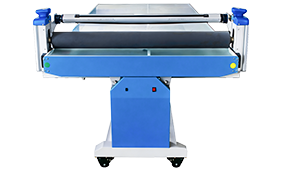
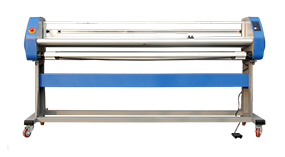
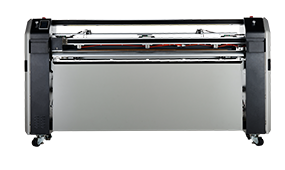
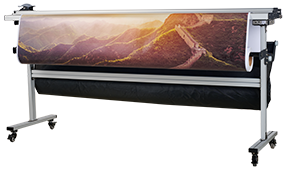
Laminating machine performance can be affected by the equipment, lamination film, printed media, operating settings, and working environment. When a laminator does not heat properly, produces uneven pressure, creates bubbles or wrinkles, or makes abnormal noise, identifying the cause quickly can help prevent unnecessary downtime and material waste.
Laminating due to the material, process, equipment, and environmental factors can cause a variety of problems caused by the equipment itself can be solved by troubleshooting the laminating problems.
This laminating machine troubleshooting guide explains common laminator problems, their possible causes, practical troubleshooting steps, and daily maintenance procedures. It also covers common lamination quality issues such as bubbles, wrinkles, uneven pressure, and curling.
.jpg)
Quick Troubleshooting Guide for Laminating Machines
The following table provides a quick starting point for identifying common laminating machine problems.
| Laminating Machine Problem |
Possible Causes |
What to Check |
| Laminator is not heating |
Heater, temperature sensor, fuse, control settings |
Heating system and temperature controller |
| Lamination temperature is unstable |
Sensor, heating element, control settings |
Actual and set temperature |
| Uneven lamination pressure |
Pressure adjustment, roller alignment, pneumatic or hydraulic system |
Roller pressure and alignment |
| Laminated material has bubbles |
Film, temperature, pressure, feeding |
Film and roller contact |
| Laminated material has wrinkles |
Film tension, feeding, roller condition |
Film tension and roller surface |
| Laminated material curls |
Uneven stress, temperature, film shrinkage |
Pressure, temperature and film tension |
| Laminator cannot start |
Power supply, fuse, control system, safety protection |
Electrical system and control panel |
| Laminator makes abnormal noise |
Motor, transmission, alignment, lubrication |
Drive system and mechanical components |
| Lamination adhesion is poor |
Film, temperature, ink drying, pressure |
Film, printed media and process settings |
If a problem involves electrical components, heating elements, pneumatic or hydraulic systems, or other potentially hazardous components, disconnect the machine from the power supply and have qualified personnel perform the inspection or repair.
Common Laminating Machine Problems and How to Troubleshoot Them
1. Laminating Machine Is Not Heating
One of the most common laminator problems is insufficient heating or a heating system that does not reach the required temperature.
Possible causes include a damaged heating element, incorrect temperature settings, a faulty temperature sensor, or a problem with the electrical circuit.
Troubleshooting Steps
Check the heating element.
Inspect the heater and confirm that it is functioning correctly. If the heating element is damaged, it should be replaced by qualified personnel.
Check the temperature settings.
Compare the set temperature with the actual temperature shown by the machine. Make sure the temperature correction or calibration settings are appropriate for the machine and lamination process.
Check the temperature sensor.
A loose, contaminated, or incorrectly positioned sensor can cause inaccurate temperature readings. Inspect the sensor according to the manufacturer's service instructions.
Check the fuse and electrical connections.
Inspect the relevant fuse, wiring, and connectors. Do not bypass safety devices or replace electrical components with parts that do not meet the machine specifications.
2. Uneven Laminating Pressure
Uneven pressure can cause inconsistent lamination quality across the working width. It may appear as poor adhesion, bubbles, wrinkles, or differences in the finished surface.
Possible causes include incorrect pressure adjustment, roller misalignment, contamination on the roller surface, or problems with the hydraulic or pneumatic pressure system.
Troubleshooting Steps
Check roller alignment.
The laminating rollers should remain properly aligned across the working width. Misalignment can create uneven contact pressure.
Check the pressure adjustment.
Confirm that the pressure setting is appropriate for the film and substrate. Excessive pressure is not necessarily better and may affect the material or film.
Inspect the pressure system.
For machines using hydraulic or pneumatic pressure, inspect hoses, cylinders, valves, connections, and other relevant components for leakage or abnormal operation.
Keep the roller surface clean.
Dust, adhesive residue, or other contamination can affect the contact between the roller and the material.
MEFU uses pneumatic pressure control on selected laminating machine models to provide easier and more consistent roller pressure adjustment. Pneumatic lifting and pressure control can help reduce pressure differences caused by manual adjustment.
3. Laminating Machine Cannot Start
If a laminator cannot start or an alarm indicator appears, the problem may be related to the power supply, control system, fuse, safety protection, or another electrical component.
Troubleshooting Steps
Check the power supply.
Confirm that the machine is receiving the correct rated power and that the main electrical connections are secure.
Check the control panel.
If the control panel does not turn on normally, inspect the power supply, fuse, emergency stop circuit, and other relevant components according to the machine manual.
Check safety and overload protection.
Some modern laminators include alarm functions and overload protection. Identify the alarm condition before restarting the machine.
Inspect electrical components.
Electrical testing should be performed by qualified personnel using appropriate instruments and procedures. Replace faulty components with compatible parts specified for the machine.
For example, MEFU's MF1700-F3 includes overload alarming, safety protection, and automatic slow-down and stop functions when media comes to an end. Its Smart Pro system also displays speed, set temperature, actual temperature, and lamination statistics.
4. Laminating Machine Makes Abnormal Noise or Vibrates
Abnormal noise, excessive vibration, or accelerated mechanical wear can indicate a problem with the motor, transmission system, roller alignment, bearings, or lubrication.
Troubleshooting Steps
Check mechanical alignment.
Make sure the relevant mechanical components are correctly aligned and securely installed.
Inspect the transmission system.
Check belts, gears, shafts, fasteners, and other transmission components for looseness or abnormal wear.
Check lubrication.
Follow the manufacturer's maintenance instructions for lubrication points and recommended lubricants.
Inspect the rollers.
A damaged or deformed roller can cause vibration and affect lamination quality.
Do not continue operating the laminator if abnormal vibration, noise, overheating, or mechanical damage is detected.
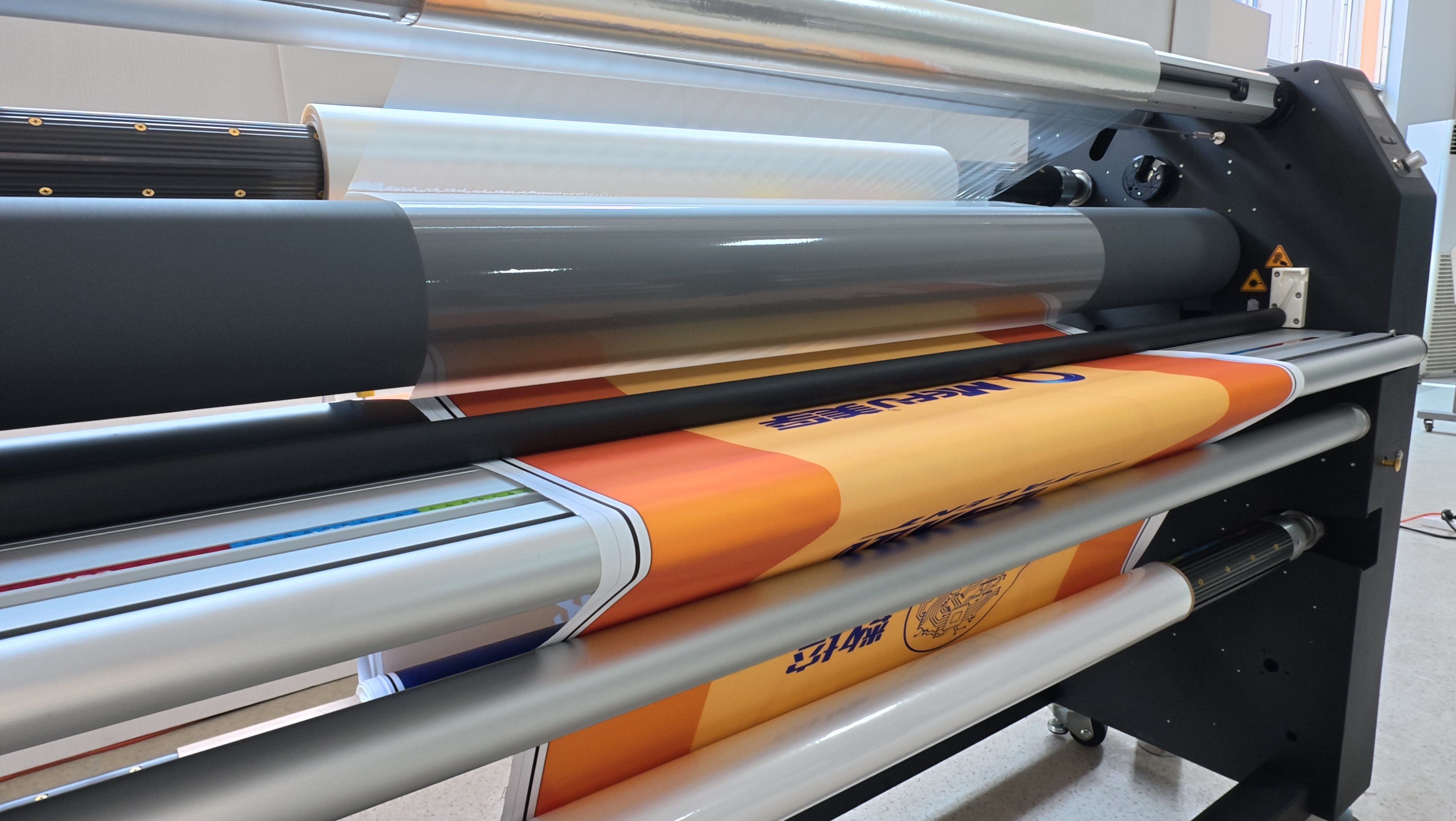
Lamination Quality Problems: Bubbles, Wrinkles and Curling
Not every lamination problem originates from the laminating machine itself. Film characteristics, printed media, ink drying, temperature, pressure, film tension, and operating technique can all affect the final result.
Why Does My Laminator Produce Bubbles?
Bubbles may occur when air becomes trapped between the film and substrate or when the lamination conditions are not appropriate.
Common factors include:
-
Incorrect film feeding
-
Insufficient or uneven pressure
-
Incorrect temperature
-
Contamination on the roller or substrate
-
Film quality or compatibility
-
Printed ink that has not dried sufficiently
-
Excessive film tension
How to Reduce Lamination Bubbles
Before production, make sure the roller surface and substrate are clean. Check film alignment and tension, and confirm that the temperature and pressure are appropriate for the selected film and substrate.
For printed materials, allow the ink to dry sufficiently before lamination. Properly dried prints generally provide more consistent adhesion between the printed surface and lamination film.
Why Does My Laminator Create Wrinkles?
Wrinkles can be caused by uneven film tension, incorrect feeding, roller contamination, roller alignment, or unsuitable pressure.
Check the film roll before operation and make sure it is loaded correctly. Inspect the roller surface for dust, adhesive residue, scratches, or deformation.
During operation, feed the material straight and maintain consistent film tension. If wrinkles repeatedly appear in the same area, inspect the roller alignment and pressure distribution.
Why Does Laminated Material Curl?
Curling is a common concern in single-sided lamination. Film shrinkage, uneven pressure, temperature, substrate characteristics, and film tension can all contribute to physical deformation.
The key is to maintain a balanced lamination process rather than relying on pressure or temperature alone.
MEFU's approach to reducing lamination deformation combines pneumatic pressure control, temperature management, roller design, and an anti-curling adjustment mechanism. Selected MEFU machines use a 130 mm silicone roller, while the anti-curling mechanism is designed to counteract film shrinkage forces during output.
For more details, see our guide to [MEFU lamination technology and anti-curling solutions].
Laminating Film and Material Preparation
The laminating machine is only one part of the lamination process. Film and substrate preparation can have a direct impact on finished quality.
Choose the Right Lamination Film
Film properties should match the application, substrate, and lamination process. Poor-quality or incompatible film may increase the risk of bubbles, wrinkles, poor adhesion, or other defects.
Before full production, test the selected film with the actual substrate and print conditions.
Make Sure Printed Materials Are Dry
When laminating printed graphics, the ink should be sufficiently dry before the lamination process.
Residual moisture, solvent, or insufficiently cured ink can affect adhesion and finished appearance.
Control Film Tension
Film tension should be stable throughout the lamination process. Excessive tension can stretch the film and contribute to deformation, while insufficient control may result in unstable feeding.
MEFU models equipped with air-shaft and tension-adjustment systems are designed to make film loading and tension control easier for operators.
How to Troubleshoot a Laminating Machine Step by Step
When a laminator develops a problem, a systematic inspection is usually more effective than changing several settings at the same time.
Step 1: Identify the Symptom
Determine exactly what has changed.
Is the machine:
A clear symptom makes it easier to identify the relevant system.
Step 2: Check the Material
Before adjusting the machine, check the film and substrate.
Confirm:
-
Film type
-
Film condition
-
Film loading
-
Film tension
-
Substrate flatness
-
Ink drying
-
Surface cleanliness
Step 3: Check Temperature
Compare the set temperature with the actual temperature. If the actual temperature is unstable or significantly different from the expected value, inspect the heating system and temperature sensor.
Step 4: Check Roller Condition
Inspect the roller surface for:
-
Dust
-
Adhesive residue
-
Scratches
-
Deformation
-
Uneven wear
The roller is one of the most important components in a laminating machine because its surface condition and alignment directly affect material contact.
Step 5: Check Pressure
Confirm that roller pressure is appropriate and consistent across the working width.
For pneumatic or hydraulic systems, inspect the relevant pressure components and connections.
Step 6: Check Film Feeding and Tension
Make sure the film is correctly aligned and feeds smoothly. Check whether excessive tension or resistance is present.
Step 7: Check the Electrical and Mechanical Systems
If the machine cannot start, displays an alarm, or produces abnormal noise, inspect the relevant electrical and mechanical systems according to the manufacturer's service procedures.
Step 8: Run a Test Before Full Production
After correcting the suspected problem, perform a controlled test with the intended film and substrate before returning to full production.
Record the successful settings when appropriate so operators can reproduce the process more consistently.
Daily Laminating Machine Maintenance Checklist
Regular maintenance can help identify problems before they affect production.
1. Clean the Laminator Regularly
Remove dust, adhesive residue, and other contaminants from the machine. Keep the working area clean and free from unnecessary materials.
Do not use sharp tools to scrape the roller surface.
2. Inspect the Laminating Rollers
Check the rollers before and after operation.
Look for:
-
Dust or stains
-
Adhesive buildup
-
Scratches
-
Surface damage
-
Bending or deformation
-
Uneven wear
A damaged roller should be evaluated and replaced when necessary.
3. Check the Heating System
Avoid prolonged operation at inappropriate temperatures. Confirm that the heating system reaches and maintains the required process temperature.
4. Inspect Hydraulic or Pneumatic Components
For machines using hydraulic or pneumatic systems, regularly inspect hoses, cylinders, valves, fittings, and connections for leakage or abnormal operation.
Follow the manufacturer's maintenance schedule for fluid inspection or replacement where applicable.
5. Check Mechanical Components
Inspect belts, transmission components, fasteners, shafts, and other mechanical parts for looseness, wear, or abnormal noise.
Lubricate components according to the manufacturer's maintenance instructions.
6. Test the Machine Before Production
Before starting production, check whether the rollers rotate smoothly and whether the machine shows any abnormal noise, vibration, alarm, or mechanical resistance.
Confirm that the machine is connected to the correct rated power supply before operation.
How MEFU Designs Laminating Machines for Consistent Lamination
Troubleshooting is important, but equipment design also plays a major role in maintaining stable lamination quality.
MEFU develops roll laminating equipment around several key areas: pressure control, temperature management, roller design, film handling, and operator control.
Pneumatic Pressure Control
Uneven manual adjustment can create pressure differences between the two ends of a laminating roller.
Selected MEFU laminators use pneumatic cylinders for roller lifting and pressure control. This allows operators to adjust pressure more easily while helping maintain synchronized pressure across the roller.
Temperature Control
Temperature needs to be controlled according to the film, adhesive system, substrate, and production process.
MEFU's intelligent control systems provide operators with temperature information and process controls. The Smart Pro system on the MF1700-F3, for example, displays both set and actual temperature together with speed and lamination statistics.
130 mm Silicone Rollers
Selected MEFU laminators use 130 mm diameter silicone rollers for heavy-duty lamination.
Roller diameter, silicone properties, surface condition, and pressure distribution all influence the contact between the film and substrate. A properly maintained roller is therefore essential for consistent lamination.
Film Tension and Feeding
Stable film feeding is another important part of lamination quality.
Air-shaft and tension-control configurations can make film loading and tension adjustment easier while helping operators maintain a more consistent feeding process.
Smart Monitoring and Protection
Modern laminators can provide operators with more information than simple speed and temperature controls.
MEFU's Smart Pro system includes lamination statistics, temperature and speed display, overload alarming, safety protection, and automatic slow-down and stop functions for specific operating conditions.
How to Choose a Laminating Machine to Reduce Production Problems
If lamination problems occur repeatedly, it may be necessary to evaluate whether the machine configuration matches the application.
Consider the following factors when selecting a laminator:
Working Width
Choose a working width that matches the maximum media size and expected production requirements.
Lamination Type
Determine whether the application requires:
Pressure System
Consider whether manual, pneumatic, or other pressure-control configurations are appropriate for the required production environment.
Roller Configuration
Roller diameter, material, surface condition, and heating configuration can affect lamination performance.
Automation and Monitoring
For higher-volume production, features such as temperature monitoring, speed control, overload alarms, automatic stop functions, and lamination statistics can make operation easier to monitor.
Cutting and Finishing Functions
For applications that require trimming after lamination, an integrated laminating and cutting machine can reduce additional handling steps.
MEFU offers a range of roll laminators from entry-level configurations to professional models designed for higher-volume production. The product range includes models such as the MF1700-M1, MF1700-M1 PRO, MF1700-C3, MF1700-F3, and MF1700-B5 PRO.
Frequently Asked Questions About Laminating Machine Troubleshooting
Why is my laminating machine not heating?
A laminating machine may fail to heat because of a damaged heating element, temperature sensor problem, incorrect temperature settings, fuse failure, or an electrical issue. Check the set and actual temperature first, then inspect the heating system according to the manufacturer's service instructions.
Why does my laminator produce bubbles?
Bubbles may result from trapped air, uneven pressure, incorrect temperature, film tension, contaminated rollers, incompatible film, or insufficiently dried printed material. Check the film, substrate, roller condition, pressure, temperature, and feeding process.
Why does my laminator create wrinkles?
Wrinkles are commonly associated with film tension, incorrect feeding, roller alignment, roller contamination, or uneven pressure. Check film loading and tension before adjusting the machine.
Why is laminating pressure uneven?
Uneven pressure may be caused by roller misalignment, incorrect pressure adjustment, contamination, or a problem with the hydraulic or pneumatic system. Inspect the pressure system and roller alignment.
Why does laminated material curl?
Curling can be caused by film shrinkage, uneven pressure, excessive temperature, substrate characteristics, or unstable film tension. A balanced combination of pressure, temperature, roller condition, and film handling is important for reducing deformation.
How often should a laminating machine be maintained?
Basic cleaning and visual inspection should be performed regularly, ideally before and after production. More detailed inspections of rollers, transmission components, electrical systems, and hydraulic or pneumatic components should follow the machine manufacturer's maintenance schedule.
How do I clean a laminating machine roller?
Remove dust and adhesive residue using the cleaning method recommended by the machine and roller manufacturer. Avoid sharp tools that can scratch or damage the roller surface.
Can a laminating machine problem be caused by the film?
Yes. Film type, adhesive characteristics, film tension, storage condition, and compatibility with the substrate can all affect lamination quality. Always test the film with the actual production materials and process conditions.
Need Help Choosing or Troubleshooting a Laminating Machine?
A reliable lamination process depends on the interaction between the machine, roller, pressure, temperature, film, substrate, and operating conditions.
If you are experiencing recurring lamination problems or are selecting a laminator for a new production application, MEFU can help you evaluate the appropriate machine configuration based on your working width, materials, lamination process, production requirements, and finishing needs.
[Contact MEFU for a Laminating Machine Solution]
[Explore MEFU Roll Laminators]


 Premium Series