Laminator Temperature: How to Choose the Right Setting
Choosing the right laminator temperature is essential for achieving strong adhesion, a smooth finish, and consistent lamination quality. However, there is no single temperature that works for every laminating application.
The correct setting depends on several factors, including the laminating film, adhesive type, substrate, material thickness, lamination speed, roller pressure, and laminator configuration.
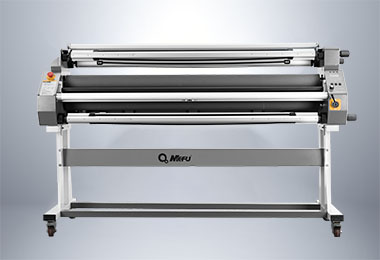
For hot lamination, the temperature must be high enough to activate the thermal adhesive without causing film shrinkage, wrinkles, or substrate deformation. Cold lamination generally uses pressure-sensitive adhesive and requires less heat, although some laminators use low-temperature heat assistance to improve film handling and adhesion.
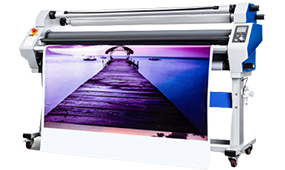
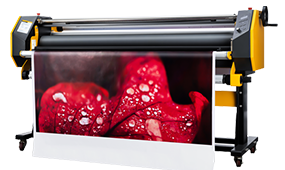
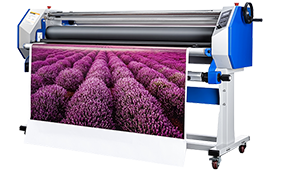
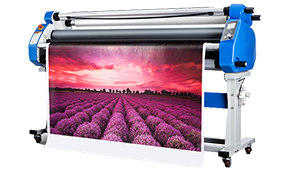
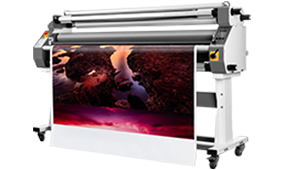
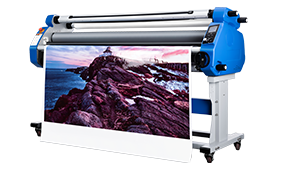
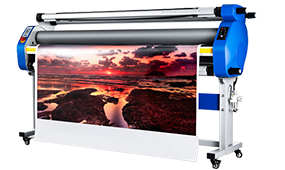
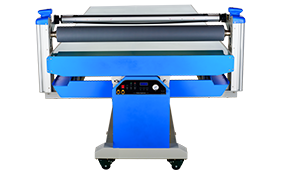
As a practical reference, MEFU MF1700 hot laminators typically operate at 85–95°C, while the MF1700 low-heating cold laminator operates at 40–50°C. Adjust these settings based on the film and substrate.
Laminator Temperature Quick Reference
The following table provides general reference points for common laminating applications.
|
Lamination Type / Material
|
Reference Temperature
|
Key Consideration
|
|
Cold lamination
|
40–50°C
|
Primarily relies on pressure-sensitive adhesive
|
|
Low-temperature heat-assisted cold lamination
|
40–50°C
|
Heat may improve film adhesion and surface quality
|
|
MEFU MF1700 hot lamination
|
85–95°C
|
90°C preset temperature
|
|
BOPP thermal film
|
70–100°C
|
Check the film manufacturer’s adhesive specification
|
|
PET thermal film
|
100–120°C
|
Higher activation temperature may be required
|
|
MEFU MF1700 hot lamination Max Temp
|
120°C
|
Do not exceed the machine’s operating limit
|
These are general reference ranges, not universal settings. Always follow the laminating film manufacturer’s recommended temperature and the operating limits of the laminator.
What Temperature Should a Laminator Be Set At?
The appropriate laminator temperature should be determined by the adhesive activation requirements of the laminating film, not simply by the material name.
Before setting the temperature, check:
· Laminating film type
· Adhesive type
· Film thickness
· Substrate material
· Substrate heat resistance
· Lamination speed
· Roller pressure
· Laminator heating capability
For hot lamination, start within the temperature range recommended by the film manufacturer. If the film specification is unavailable, the laminator manufacturer’s recommended operating range can be used as a starting point, followed by a test lamination.
For cold lamination, heating is usually not required to activate the adhesive. However, low-temperature heat assistance can be useful for certain applications.
Hot Lamination Temperature
Hot laminating film contains a heat-activated adhesive layer. When the film passes through the heated rollers, the adhesive softens and bonds to the substrate under pressure.
A temperature that is too low may result in incomplete adhesive activation and poor bonding. A temperature that is too high can cause film shrinkage, wrinkles, adhesive squeeze-out, or damage to heat-sensitive substrates.
For MEFU MF1700 hot lamination equipment, the recommended working temperature is typically 85–95°C, with 90°C used as a preset reference temperature. The maximum temperature is 120°C. Still adjust the setting based on the specific film and substrate.
Cold Lamination Temperature
Cold laminating film generally uses a pressure-sensitive adhesive rather than a heat-activated adhesive. The bonding process therefore depends primarily on roller pressure and adhesive properties.
Some professional laminators use low-temperature heat assistance for cold lamination. This can help improve film flexibility, adhesive flow, and surface quality without using the higher temperatures associated with thermal lamination.
For MEFU’s low-heating cold lamination configuration, the recommended temperature range is approximately 40–50°C, with 45°C as a preset reference. The maximum temperature is 60°C.
This should not be interpreted as a universal temperature for all cold laminating films. Always check the film specification before operation.
How Does Film Type Affect Laminator Temperature?
Different laminating films use different adhesive constructions, so their required temperature can vary significantly.
BOPP Film
BOPP, or biaxially oriented polypropylene, is widely used for thermal lamination applications.
As a general reference, BOPP thermal films may operate within a range of approximately 70–100°C. However, the correct temperature depends on the adhesive layer, film construction, thickness, substrate, and laminator.
If the film does not bond properly, do not immediately assume that a higher temperature is required. Check the film manufacturer’s recommended activation temperature and evaluate lamination speed and roller pressure as well.
PET Film
PET, or polyethylene terephthalate, is another commonly used laminating film.
Some PET thermal films require higher activation temperatures, with a general reference range of approximately 100–120°C. The exact requirement depends on the adhesive system and film construction.
Because PET applications can involve higher temperatures, the heat resistance of the printed substrate should also be considered.
Pressure-Sensitive Cold Laminating Film
Cold laminating films normally use pressure-sensitive adhesive. Unlike thermal films, they do not require high heat to activate the adhesive.
The key variables are:
· Adhesive characteristics
· Roller pressure
· Lamination speed
· Surface cleanliness
· Substrate compatibility
For certain applications, low-temperature heat assistance may improve the lamination result. The temperature should remain within the film and machine specifications.
How Does Material Thickness Affect Laminator Temperature?
Film and substrate thickness can influence the amount of heat required during lamination.A thicker material assembly can require more heat input or a slower lamination speed to allow sufficient time for the adhesive to activate and bond.
However, thicker does not automatically mean that the temperature should always be increased.Temperature and speed should be evaluated together.
For example, if a thermal film is not bonding adequately to a thicker substrate, possible adjustments include:
· Increasing temperature within the film’s recommended range
· Reducing lamination speed
· Checking roller pressure
· Confirming that the laminator has reached a stable operating temperature
Make adjustments gradually and perform a test laminate after each significant change.
How Does the Substrate Affect Laminator Temperature?
The substrate is just as important as the laminating film when selecting a temperature.
A substrate that can tolerate high temperatures gives the operator more flexibility. Heat-sensitive materials require greater control.
Paper and Printed Graphics
Paper and printed graphics are common laminating substrates. Before hot lamination, make sure the print is fully dry and stable.
Temperature, pressure, and speed should be balanced to prevent wrinkles, bubbles, or surface defects.
PVC and Signage Materials
PVC and other signage materials may respond differently to heat depending on their formulation and thickness.
Use the film manufacturer’s recommended temperature as the starting point and confirm that the substrate can withstand the selected temperature.
Canvas
Canvas can be more sensitive to heat than some rigid substrates.
For heat-sensitive canvas applications, excessive temperature may affect the material or surface. Low-temperature or cold lamination can therefore be preferable depending on the adhesive and application.
When laminating canvas, temperature should be evaluated together with pressure, film selection, and the characteristics of the canvas.
Heat-Sensitive Materials
When working with heat-sensitive substrates, avoid selecting a temperature simply because it produces stronger adhesion on another material.
Instead:
· Check the substrate’s heat resistance.
· Select a compatible laminating film.
· Start at the lower end of the recommended temperature range.
· Run a small test.
· Check for deformation, discoloration, shrinkage, or surface changes.
Temperature, Pressure and Speed: The Three Key Lamination Settings
Temperature is important, but it is only one part of the lamination process.
A stable lamination result depends on the interaction between temperature, pressure, and speed.
Temperature
Temperature activates or softens the adhesive in thermal laminating films.
Too little heat can result in incomplete bonding. Excessive heat can damage the film or substrate.
Pressure
Roller pressure brings the film and substrate into close contact and supports adhesive bonding.
Insufficient pressure can contribute to poor adhesion or inconsistent results, particularly when the substrate surface is uneven.
Speed
Lamination speed determines how long the material remains in the heating and pressure zone.
A faster speed reduces the time available for heat transfer and adhesive activation. A slower speed increases exposure to heat and pressure.
Therefore, changing the temperature without considering speed may not solve a lamination problem.
A useful principle is:
Temperature should be adjusted together with pressure and speed rather than treated as an isolated setting.
How to Tell if Laminator Temperature Is Too Low
When the temperature is insufficient for a thermal laminating film, several problems may occur.
Poor Adhesion
The film may not bond securely to the substrate because the thermal adhesive has not been sufficiently activated.
Bubbles or Blistering
Insufficient heat, pressure, or an unsuitable lamination process can contribute to bubbles or blistering between the film and substrate.
Incomplete Bonding
The film may appear attached immediately after lamination but can lift or separate later if the adhesive has not properly bonded.
If these problems occur, check the film specification first. Then evaluate temperature, pressure and speed.
How to Tell if Laminator Temperature Is Too High
Excessive temperature can be just as problematic as insufficient temperature.
Film Shrinkage
Some laminating films can shrink when exposed to excessive heat. This may result in dimensional changes or wrinkles.
Wrinkles
Excessive heat combined with incorrect pressure or material handling can contribute to wrinkles.
Substrate Deformation
Heat-sensitive substrates may warp, deform, discolor, or otherwise change when exposed to excessive temperatures.
Adhesive Squeeze-Out
Excessive heat can make the adhesive too fluid, particularly when combined with high roller pressure.
If these symptoms appear, reduce the temperature within the allowable operating range and check the lamination speed and pressure.
Laminator Temperature Troubleshooting
The following table can help identify the most likely causes of common lamination problems.
|
Lamination Problem
|
Possible Cause
|
What to Check
|
|
Poor adhesion
|
Insufficient adhesive activation
|
Temperature, film specification, pressure
|
|
Bubbles or blistering
|
Insufficient heat, pressure, or incorrect film handling
|
Temperature, pressure, substrate condition
|
|
Film shrinkage
|
Excessive heat
|
Temperature and film heat resistance
|
|
Wrinkles
|
Excessive heat, pressure, or incorrect handling
|
Temperature, pressure, material alignment
|
|
Uneven finish
|
Temperature, pressure, or speed imbalance
|
All three operating settings
|
|
Film lifting
|
Incomplete bonding
|
Adhesive activation, pressure and substrate
|
|
Substrate deformation
|
Excessive heat
|
Temperature and substrate heat resistance
|
How to Set the Right Laminator Temperature
Use the following process when setting up a laminator for a new film or substrate.
Step 1 — Identify the Laminating Film
Determine whether the film is:
· BOPP thermal film
· PET thermal film
· Pressure-sensitive cold film
· Another thermal or specialty laminating film
The adhesive system determines the basic temperature requirement.
Step 2 — Check the Film Specification
Look for the manufacturer’s recommended:
· Lamination temperature
· Lamination speed
· Adhesive activation temperature
· Suitable substrates
· Film thickness
The film specification should take priority over generic temperature charts.
Step 3 — Check the Substrate
Consider whether the substrate is:
· Heat-sensitive
· Flexible
· Rigid
· Thick
· Printed
· Coated
A temperature that works well for one substrate may not be suitable for another.
Step 4 — Set the Initial Temperature
Set the laminator within the recommended operating range.
For example, MEFU MF1700 hot lamination equipment uses approximately 90°C as a preset reference temperature, while its low-heating cold lamination configuration uses approximately 45°C.
Step 5 — Preheat the Laminator
Allow the laminator to reach its target temperature before beginning production.
Starting lamination before the rollers reach a stable temperature can result in inconsistent adhesion and surface quality.
Step 6 — Run a Test Lamination
Before full production, perform a test with the actual film and substrate.
Check the result under normal production conditions.
Step 7 — Inspect the Result
Check:
· Adhesion
· Bubbles
· Wrinkles
· Film shrinkage
· Surface smoothness
· Substrate deformation
Step 8 — Adjust Temperature, Pressure or Speed
If the result is not satisfactory, adjust the relevant operating parameters gradually.
Avoid making multiple major changes at the same time whenever possible. This makes it easier to identify the cause of the problem.
How Long Does a Laminator Take to Heat Up?
Laminator warm-up time depends on the heating system, roller construction, machine size, target temperature, ambient conditions, and machine configuration.
For MEFU MF1700 equipment, the approximate preheating time is:
· Hot lamination: approximately 10–15 minutes
· Low-heating cold lamination: approximately 5–10 minutes
The actual time may vary depending on operating conditions.
A laminator should reach and maintain its target temperature before production begins.
MEFU Laminator Temperature Settings
MEFU designs roll laminators for a range of hot and cold lamination applications. The temperature settings are matched to different film and substrate requirements rather than using one universal setting.
MEFU MF1700 Hot Lamination
The MF1700 hot lamination configuration provides a practical reference for thermal film applications.
|
Parameter
|
Reference
|
|
Preset temperature
|
90°C
|
|
Recommended operating range
|
85–95°C
|
|
Maximum temperature
|
120°C
|
|
Approximate preheating time
|
10–15 minutes
|
These values provide a machine-specific reference. The actual working temperature should still be selected according to the film and substrate.
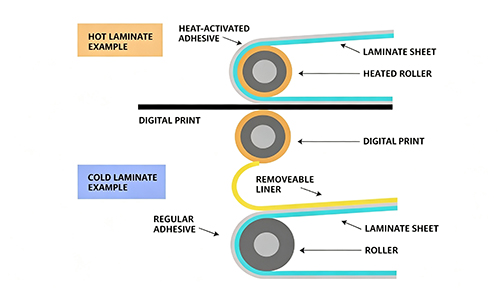
MEFU MF1700 Low-Heating Cold Lamination
For low-heating cold lamination:
|
Parameter
|
Reference
|
|
Preset temperature
|
45°C
|
|
Recommended operating range
|
40–50°C
|
|
Maximum temperature
|
60°C
|
|
Approximate preheating time
|
5–10 minutes
|
This configuration is designed for applications where pressure-sensitive cold laminating film is used with low-temperature heat assistance.
Temperature and Speed Control on MEFU Laminators
Professional lamination requires more than temperature control.
Depending on the MEFU laminator configuration, operators can control or adjust factors such as:
· Roller temperature
· Lamination speed
· Roller pressure
· Material feeding
· Heating mode
The ability to adjust these parameters helps operators adapt the machine to different films, substrates and production requirements.
MEFU Laminators for Different Lamination Applications
MEFU offers roll laminators for different production requirements, from manual hot and cold lamination to professional wide-format finishing.
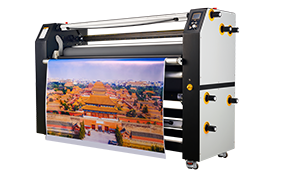
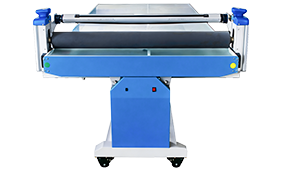
MF1700-F1
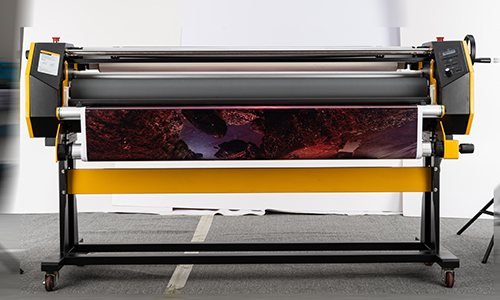
The MF1700-F1 is a manual hot and cold laminating machine designed for applications including hot laminating, mounting and encapsulating.
Its heating system can reach temperatures of up to 120°C, providing flexibility for thermal laminating applications.
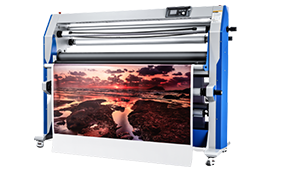
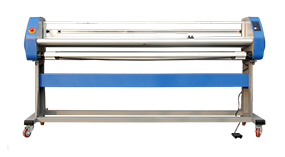
MF1700-M1 PRO

The MF1700-M1 PRO is designed for professional heat-assist laminating applications where operators need precise control over production parameters.
The machine incorporates temperature and speed control together with pneumatic roller pressure and 130 mm silicone rollers.
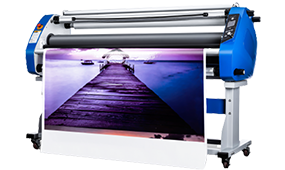
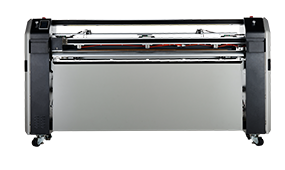
MF1700-C3
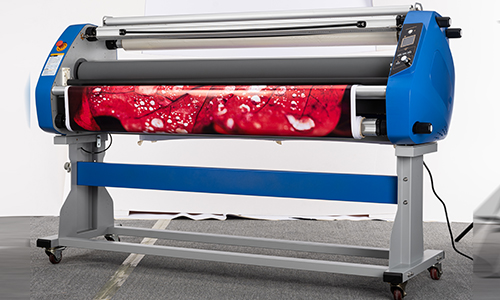
The MF1700-C3 is a professional hot roll laminator designed for applications requiring controlled lamination and finishing.
Its configuration supports adjustable operating conditions for different materials and production requirements.
MEFU develops roll laminators for hot lamination, cold lamination, mounting and other print-finishing applications. With adjustable operating parameters and machine configurations designed for different production requirements, MEFU laminators help operators adapt the lamination process to the materials being processed.
If you are selecting a laminator for a specific film, substrate or production environment, start by defining your required lamination temperature, working width, speed, pressure and application type. These factors provide a more practical basis for choosing the right laminating machine than temperature alone.


 Premium Series