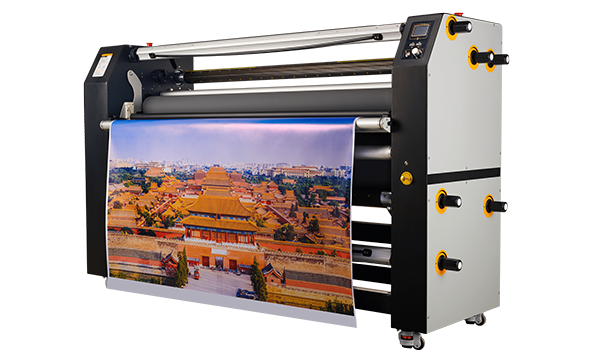
You can cut foam poster board cleanly with a sharp utility knife, X-Acto knife, or specialized foam board cutter. For straight cuts, use a metal straightedge and make several light scoring passes instead of forcing the blade through the board in one pass. The best cutting method depends on the board thickness, facing material, cut shape, and production volume.
For occasional projects, hand cutting is usually sufficient. For large-format signage, printed graphics, or repeated production, manual cutting becomes slower and less consistent, making a professional foam board cutter a better option.
What Is Foam Poster Board?
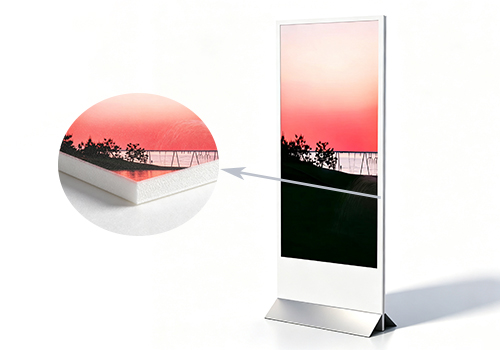
Foam poster board is a lightweight, rigid material commonly used for signs, displays, school projects, presentations, and large-format graphics. It typically consists of a foam core sandwiched between paper or plastic facings, which gives it stiffness while remaining relatively easy to cut.
Several similar terms are often used interchangeably, but they are not always the same material:
| Material |
Core |
Typical Facing |
Cutting Difficulty |
Recommended Method |
| Foam poster board |
Foam |
Paper |
Easy |
Utility knife |
| Foam core board |
EPS foam |
Paper |
Easy–Medium |
Utility knife |
| KT board |
EPS/foam |
Paper |
Medium |
Sharp blade / cutter |
| XPS board |
Extruded polystyrene |
Usually none |
Medium |
Knife / hot wire cutter |
| PVC foam board |
PVC |
Medium–Hard |
Manual/automatic cutter |
| EVA foam |
EVA |
Usually none |
Medium |
Knife / CNC |
Understanding the material type is important because it directly affects which tool and technique will produce the cleanest edge.
What Tools Do You Need to Cut Foam Poster Board?
The right tool depends on the material, thickness, cut shape, and how many sheets you need to process.
Utility Knife
A utility knife is one of the most common tools for cutting foam poster board. It works well for straight cuts, paper-faced boards, and general hobby or office use. For best results, use a fresh blade and avoid applying too much downward pressure.
X-Acto / Craft Knife
An X-Acto knife is ideal for detail work, small shapes, and precise trimming. It is especially useful when cutting curves, holes, or complex patterns in thinner foam board.
Foam Board Cutter
A dedicated foam board cutter is designed to produce cleaner, straighter cuts than a general utility knife. It is a good choice for sign shops, print shops, and anyone who cuts foam board regularly.
Metal Ruler or Straightedge
A metal ruler or straightedge helps keep cuts straight and consistent. It also reduces the risk of the blade slipping during scoring.
Self-Healing Cutting Mat
A self-healing cutting mat protects the work surface and provides a stable base for clean cuts. It is recommended for hand cutting, especially when working with multiple sheets.
Hot Wire Cutter
A hot wire cutter uses a heated wire to melt through foam materials. It is effective for thick foam, EPS, XPS, and curved cuts, but it may not be the best choice for paper-faced or PVC-coated boards.
Automatic Foam Board Cutter
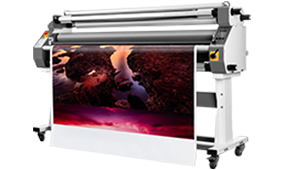
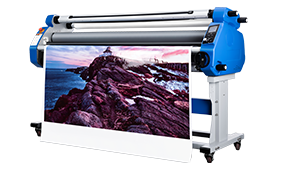
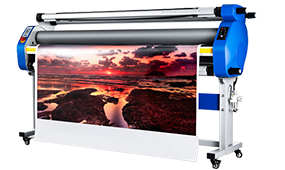
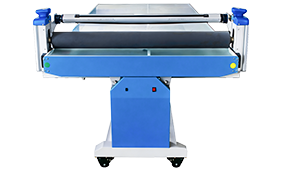
An automatic foam board cutter is designed for production environments. It delivers consistent results across large volumes, reduces operator fatigue, and is particularly useful for large-format printed graphics, sign production, and display finishing.
Tool Comparison
| Tool |
Best For |
Accuracy |
Speed |
Suitable Volume |
| Scissors |
Thin poster board |
Low |
High |
Small |
| Utility knife |
Straight cuts |
High |
Medium |
Small |
| X-Acto knife |
Detail work |
Very High |
Low |
Small |
| Hot wire cutter |
Thick foam / curves |
High |
Medium |
Small–Medium |
| Manual cutter |
Repeated straight cuts |
High |
High |
Medium |
| Automatic cutter |
Production |
Very High |
Very High |
Large |
How to Cut Foam Poster Board Step by Step
This method is suitable for most foam poster board, foam core board, and KT board applications.
Step 1: Measure and Mark the Board
Start by measuring the board and marking the cut line with a pencil. Use a T-square or metal ruler to ensure the line is straight and square. Double-check dimensions before cutting, especially if the board has already been printed or laminated.
Step 2: Place the Board on a Cutting Mat
Lay the board flat on a stable, protected surface. A self-healing cutting mat is recommended because it reduces blade damage and helps protect the table underneath.
Step 3: Align a Metal Straightedge
Place a metal straightedge along the marked line. Make sure it is securely positioned before cutting. If necessary, use clamps or non-slip pads to keep the board from moving.
Step 4: Score the Surface
Run the blade along the straightedge to score the top surface. Do not try to cut through the entire board in one pass. The goal at this stage is to create a clean, controlled line.
Step 5: Make Multiple Light Passes
Continue cutting along the same line with several light passes. This is one of the most important techniques for clean foam board cutting. Multiple light passes reduce edge crushing, tearing, and jagged cuts.
Step 6: Cut Through the Bottom Facing
Once the blade has penetrated most of the board thickness, make a final pass to cut through the bottom facing. This helps separate the piece cleanly without pulling or delaminating the paper or plastic surface.
Step 7: Inspect and Clean the Edge
After cutting, inspect the edge. If small fragments or uneven areas remain, trim them lightly with a sharp blade. A clean, square edge will improve the final appearance of signs, posters, and displays.
How to Cut Foam Board in Different Shapes
Different shapes require different techniques. Straight cuts are the most common, but circles, curves, angles, and holes are also frequent requirements in foam board projects.
How to Cut Foam Board Straight
For straight cuts, use a metal straightedge and make multiple light passes. Keep the blade perpendicular to the board and avoid forcing it through the material. This technique works well for posters, signs, and large-format graphics.
How to Cut Foam Board at an Angle
Angled cuts require careful alignment and consistent blade control. Use a square or angle guide to maintain the correct angle. For repeated angled cuts, a manual foam board cutter will generally deliver more consistent results than hand cutting.
How to Cut a Circle in Foam Board
To cut a circle, first mark the diameter clearly. You can use a compass, template, or circular guide. Cut along the line with an X-Acto knife, making several shallow passes. For cleaner results, rotate the board rather than twisting the blade.
How to Cut Curves in Foam Board
Curved cuts work best with a sharp craft knife or hot wire cutter. Follow the marked line slowly and use multiple light passes. Avoid applying excessive sideways pressure, as this can cause the blade to wander or tear the facing.
How to Cut a Hole in Foam Board
To cut a hole, mark the inner shape carefully. Start by piercing the board inside the cut area, then run the blade along the inner line. For small holes, an X-Acto knife is usually more precise than a utility knife.
How to Cut Foam Board for a Poster
When cutting foam board for a poster, protect the printed surface and align the cut line with the graphic layout. Use a straightedge and make multiple light passes to avoid tearing the print. Clean edges are especially important for professional display work.
How to Cut Large Foam Board Sheets
Large sheets require a stable work surface and careful material handling. Support the board on both sides of the cut line to prevent sagging. For large-format production, a manual or automatic foam board cutter can improve both speed and consistency.
How to Cut Foam Board by Thickness
Thicker foam board generally requires more controlled cutting, sharper blades, and more passes.
How to Cut 3 mm Foam Board
Thin foam board can often be cut with a utility knife or craft knife. Use a light first pass and then cut through the bottom facing. Avoid pressing too hard, as thin boards can bend easily.
How to Cut 5 mm Foam Board
For 5 mm foam board, use a sharp blade and a metal straightedge. Make two to three controlled passes. This thickness is common in posters, presentations, and light displays.
How to Cut 10 mm Foam Board
A 10 mm board requires more attention to blade stability. Use multiple light passes and support the board along the cut line. For repeated production, a manual foam board cutter is recommended.
How to Cut 12 mm Foam Board
A 12 mm board is thicker and more rigid. It is important to keep the blade perpendicular and avoid rushing the cut. Hot wire cutters may work well for some foam materials, while dedicated board cutters are better for consistent production.
How to Cut 20 mm Foam Board
Thick foam board requires slower, controlled cutting. For large volumes or professional applications, automatic cutting systems are more reliable than hand tools. They help maintain consistent depth, pressure, and edge quality.
As board thickness increases, maintaining blade stability and a perpendicular cutting angle becomes more important. This is where professional cutting equipment can make a noticeable difference in edge quality and production efficiency.
Why Does Foam Board Tear When You Cut It?
Even experienced users sometimes encounter torn edges, crushed foam, or delamination. These problems are usually caused by the cutting method rather than the board itself.
Dull Blade
A dull blade drags through the material instead of slicing it cleanly. This increases friction and can tear the paper facing or crush the foam core.
Too Much Downward Pressure
Pressing too hard on the blade can compress the foam before it cuts. This often leads to uneven edges and crushed corners.
Cutting Too Fast
Rushing a cut increases the chance of the blade slipping, wandering, or tearing the facing material. Slow, steady passes usually produce better results.
Incorrect Blade Angle
If the blade is tilted too far, it can slice through the facing unevenly or create a beveled edge. For most straight cuts, the blade should remain close to perpendicular.
Board Movement
If the board shifts during cutting, the line can become uneven. Use a stable surface, straightedge, and clamps when necessary.
How to Get Clean, Straight Edges on Foam Board
A clean edge depends on sharp tools, controlled technique, and proper material support.
Use a Sharp Blade
Replace dull blades before they cause problems. A sharp blade cuts with less force and produces cleaner edges.
Make Multiple Light Passes
Do not try to cut through the board in one pass. Several shallow scoring passes will reduce tearing and crushing.
Keep the Blade Straight
A metal straightedge helps prevent the blade from drifting. This is especially important for long cuts and large-format boards.
Support Both Sides of the Cut
Supporting the board on both sides of the cut line prevents sagging and reduces the risk of the board breaking unevenly.
Avoid Dragging the Blade
A clean cut requires slicing, not scraping. If the blade starts to drag, replace it or reduce pressure.
Common Cutting Problems and Solutions
| Problem |
Likely Cause |
Solution |
| Crushed edge |
Too much pressure |
Use multiple light passes |
| Jagged edge |
Dull blade |
Replace blade |
| Torn facing |
Blade dragging |
Reduce cutting resistance |
| Uneven edge |
Board movement |
Clamp or use straightedge |
| Delamination |
Excessive friction |
Adjust blade angle and cutting method |
Manual vs. Professional Foam Board Cutting
Hand tools are suitable for occasional projects, but they have limitations when production volume increases.
| Factor |
Utility Knife |
Manual Cutter |
Automatic Cutter |
| Initial Cost |
Low |
Medium |
High |
| Setup |
Simple |
Simple |
Requires setup |
| Cutting Speed |
Low |
Medium |
High |
| Repeatability |
Operator-dependent |
Good |
High |
| Large-format Work |
Difficult |
Better |
Excellent |
| Bulk Production |
Not suitable |
Limited |
Suitable |
| Labor Requirement |
High |
Medium |
Low |
For one or a few boards, a utility knife may be enough. For ongoing sign production, print finishing, or large-format graphics, professional cutting equipment becomes more practical.
When Should You Use a Professional Foam Board Cutter?
A manual knife is usually enough for occasional projects. However, professional cutting equipment becomes more valuable when you need to process large-format boards, repeat the same dimensions, maintain consistent edge quality, or handle multiple sheets every day.
For Sign Shops
Sign shops often need clean, repeatable cuts across different board sizes and materials. A professional cutter helps reduce waste and speed up production.
For Digital Printing Companies
Printed foam board requires accurate trimming to finish graphics cleanly. Professional cutters help align edges and reduce post-production errors.
For Exhibition & Display Production
Exhibition and display projects often involve large, rigid boards that must fit together precisely. Consistent cutting improves assembly and installation.
For Packaging Production
In packaging and sample making, foam board may be used for prototypes, inserts, and protective structures. Clean cuts and accurate dimensions are critical.
For Large-Format Graphics
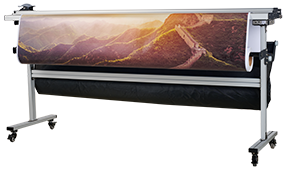
Large-format graphics demand stable material handling and straight edges. An automatic cutting system is especially useful when processing laminated, printed, or multi-layered boards.
MEFU Solutions for Foam Board Cutting
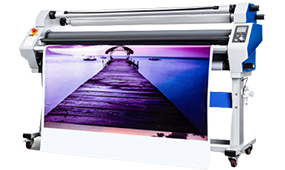
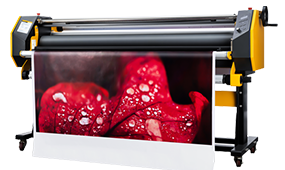
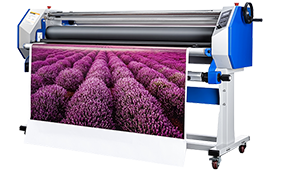
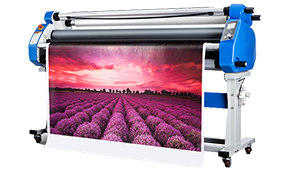
MEFU offers both manual and automatic cutting solutions designed to handle foam board, KT board, PVC foam board, and other rigid display materials.
Manual Foam Board Cutting
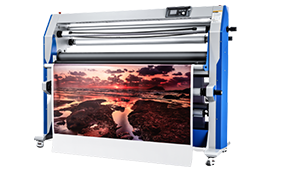
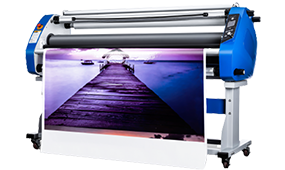
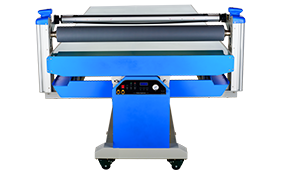
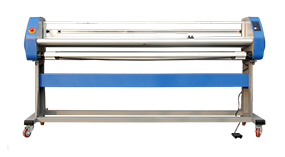
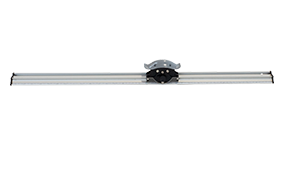
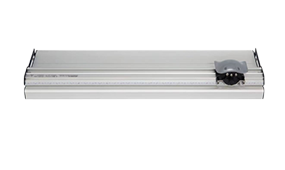
For low-to-medium volume production, the MF-XM Manual Foam Board Cutter provides a practical solution. It supports materials such as PVC foam board and floor coverings, with cutting widths ranging from 700 mm to 2000 mm.
This type of manual cutter is suitable for:
· Sign shops
· Print shops
· Small production runs
· Repeated straight cuts
· Projects requiring better consistency than hand cutting
Automatic Foam Board Cutting
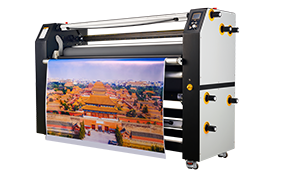
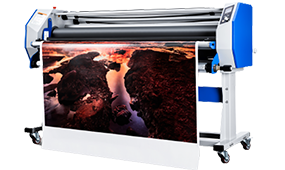
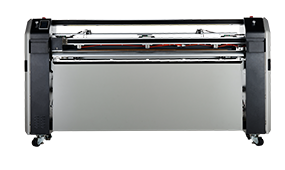
For higher-volume production, MEFU automatic foam board cutters are designed to improve speed, accuracy, and repeatability. Models such as the MF1700-XY and MF1700-XA are built for large-format processing and can be integrated into print finishing workflows.
Automatic cutting is recommended when:
· Daily production volume is high
· Boards need consistent dimensions
· Large-format graphics are processed regularly
· Material handling and edge quality are critical
· Manual cutting becomes inefficient
Which Foam Board Cutting Method Is Right for You?
You can choose a cutting method based on your project frequency, material type, and quality requirements.
· Do you only cut a few sheets? → Utility knife
· Do you cut the same size repeatedly? → Manual foam board cutter
· Do you process large-format boards every day? → Automatic cutter
· Do you need consistent dimensions across many sheets? → Automatic cutter
· Do you process printed and laminated boards? → Professional finishing system
If you are unsure which solution fits your workflow, you can contact MEFU for a customized recommendation.
Frequently Asked Questions
What is the best way to cut foam poster board?
The best way to cut foam poster board is to use a sharp utility knife or craft knife, a metal straightedge, and multiple light scoring passes. For cleaner results, avoid forcing the blade through the board in one pass.
Can you cut foam board with a regular knife?
Yes, a regular utility knife can cut most foam poster boards. However, the blade must be sharp, and the cut should be made with several light passes rather than one heavy cut.
How do you cut foam board without tearing it?
To cut foam board without tearing it, use a sharp blade, make multiple light passes, keep the board stable, and avoid dragging the blade through the facing material.
How do you cut foam board straight?
To cut foam board straight, use a metal straightedge or ruler, mark the line clearly, and make controlled, shallow passes along the edge.
Can you cut foam board with scissors?
Scissors can cut thin foam poster board, but they are less suitable for thick boards, straight lines, or professional-quality edges.
How do you cut thick foam board?
Thick foam board should be cut with a sharp blade, a straightedge, and multiple light passes. For thicker materials, hot wire cutters or professional board cutters may be more effective.
Can you cut foam board with a hot wire cutter?
Yes, hot wire cutters work well for many foam materials, especially EPS and XPS. They are less suitable for some paper-faced or PVC-coated boards.
What blade is best for foam board?
A sharp utility knife blade or craft knife blade is usually best for foam board. For professional production, dedicated foam board cutters and automatic cutting systems may use specialized blades.
How do you cut a circle in foam board?
To cut a circle in foam board, mark the diameter, use a compass or template, and cut along the line with an X-Acto knife using multiple shallow passes.
Can foam board be cut with an automatic cutter?
Yes. Automatic foam board cutters are suitable for large-format boards, repeated production, and applications requiring consistent edge quality.
Core Features & Product Lineup of MEFU Foam Board Cutters
General Product Core Features
All MEFU foam board cutting equipment is professionally optimized for diverse lightweight rigid materials including common foam poster board, KT board, and PVC foam board. Differing from ordinary hand tools and generic cutters, our professional cutting series fundamentally solves industry common pain points: foam core crushing, edge jagging, surface tearing, delamination, and inconsistent cutting precision. Covering small-batch customization to large-scale industrial batch production, the full product lineup features high compatibility, stable cutting accuracy, low material waste, and strong operability, perfectly matching personalized manual processing and standardized automated production needs of advertising, printing, exhibition display, and packaging industries.
Graduated Product Features & Application Scenarios
MEFU designs hierarchical cutting solutions based on production volume, precision requirements, and application scenarios, with each model featuring targeted functional advantages to avoid performance redundancy and cost waste:
1. Cost-Effective Manual Cutting Solution (MF1700-XM)
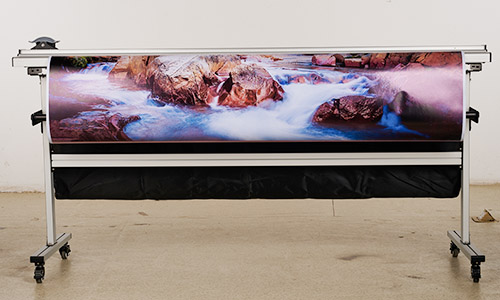
Core Features: Entry-level professional manual cutter with high-precision fixed ruler and reinforced tough cutting head, supporting multi-size cutting widths from 700mm to 2000mm. It delivers stable and uniform blade control, effectively eliminating manual cutting deviation and uneven edges. With simple installation and zero complex setup, it delivers significantly improved cutting flatness and repeatability compared with utility knives.
Applicable Scenarios: Ideal for small and medium print shops, sign-making studios, and personalized custom processing. Perfect for low-to-medium volume repeated straight cutting of foam poster board, PVC foam board and floor coverings, meeting daily production demands with low equipment investment.
2. Standard Automatic Cutting Solution (MF1700-XA)
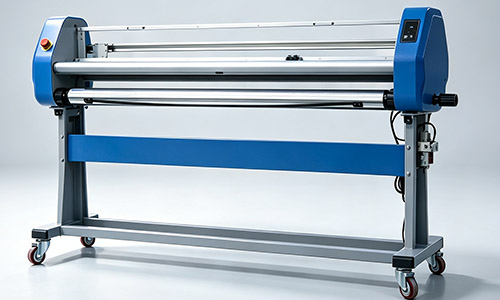
Core Features: Medium-volume intelligent automatic cutter equipped with dual vertical tracking and horizontal alignment systems, ensuring standard 90° square smooth edges for 3–12mm thick foam boards. The constant-speed automatic feeding system avoids jitter, tearing and uneven cutting caused by artificial force difference. It boasts wide material adaptability, low failure rate and continuous stable operation capability.
Applicable Scenarios: Tailored for standardized batch production. Suitable for long-term, stable processing of advertising display boards, printed foam posters and conventional foam board materials, serving daily standardized production needs of printing and display enterprises.
3. High-End Industrial-Grade Cutting Solution (MF1700-XY)
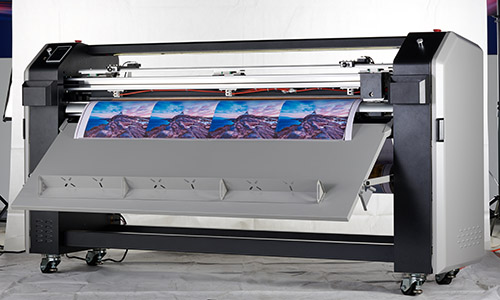
Core Features: Premium industrial XY automatic cutter, integrating professional rotary shear cutting technology and high-precision optical correction sensors (alignment error ≤ ±0.5mm). It supports one-time synchronous four-side cutting for printed and laminated foam boards, completely avoiding delamination, edge warping and core crushing. It realizes uninterrupted high-efficiency operation with an ultra-low scrap rate (below 0.5%), maximizing production yield.
Applicable Scenarios: Designed for high-precision, large-format and high-volume industrial production. Widely used in large-format graphic production, exhibition display customization, commercial packaging mass processing and other high-standard production scenarios, fully meeting strict industrial cutting requirements.
Final Thoughts
Foam poster board cutting is not difficult, but achieving clean, consistent edges requires the right tool, technique, and understanding of the material.For occasional projects, hand tools are often sufficient. For professional production, however, manual cutting can become slow, inconsistent, and labor-intensive. This is where MEFU’s manual and automatic foam board cutting solutions can help improve workflow, reduce waste, and deliver more reliable results.
If you are looking for a more efficient way to process foam board, KT board, PVC foam board, or large-format display materials, explore MEFU’s foam board cutting machines or contact us for a tailored solution.


 Premium Series