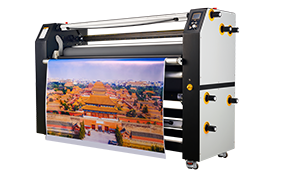
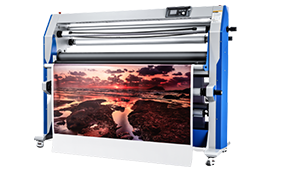
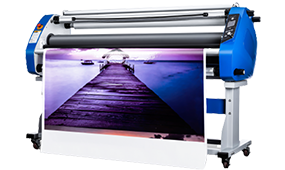
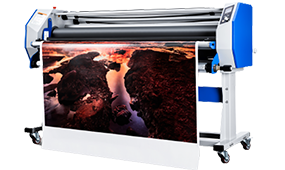
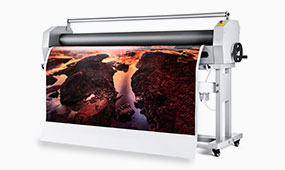
Understanding Flatbed Laminators in Industrial Applications
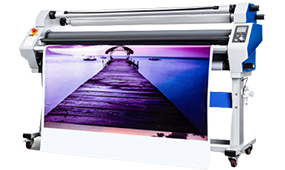
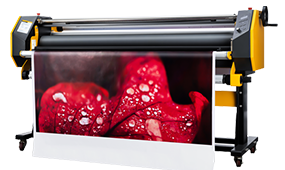
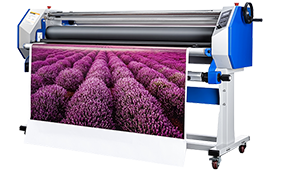
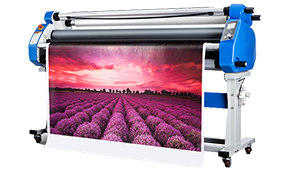
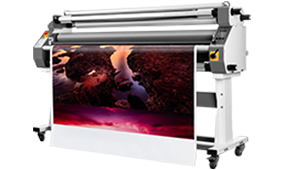
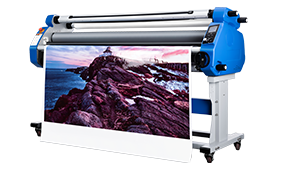
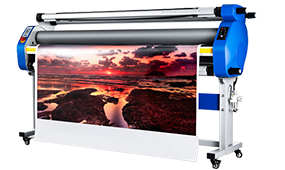
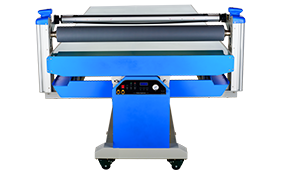
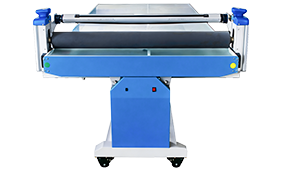
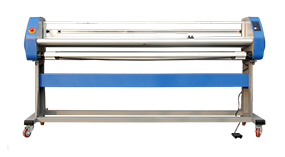
Industrial flatbed laminators, such as the MF1350-B2, are essential for large-format laminator applications across print shops, packaging factories, advertising companies, and signage production lines. These machines handle posters, laminated boards, PVC sheets, and coated materials, ensuring consistent adhesion, smooth surface finish, and high production throughput.
Industry insight: In modern industrial printing, operators increasingly face diverse substrates, requiring laminators with precision temperature control, adjustable speed, and automated pressure regulation. Selecting a high-performance large-format laminator is no longer just about width or speed—it involves evaluating machine stability, thermal consistency, and ease of maintenance.
Company signal: MEFU Laminator has developed the MF1350-B2 to meet industrial-grade lamination standards, integrating heavy-duty design with automation-friendly operation, making it suitable for multi-shift production and large-scale output.
Common Speed Issues and Solutions
Identifying Speed-Related Problems
Incorrect speed settings can cause uneven lamination, wrinkling, or misalignment, especially with thicker substrates or coated materials. The MF1350-B2 supports speeds from 0.5–7 m/min, offering flexibility for high-speed signage lamination without compromising adhesion.
Technical signal: Its 1,200 kg heavy-duty frame stabilizes the rollers, minimizing vibrations that could lead to defects during high-speed operations. In comparison, lighter laminators often produce edge curling or inconsistent pressure at higher speeds.
Case insight: Print shops using older flatbed laminators reported up to 20% rework due to speed-induced wrinkles. MF1350-B2’s adjustable speed mitigates this risk, enabling consistent high-quality output.
Tips for Optimal Speed Adjustment
- Start with minimum speed for new substrates or unfamiliar materials.
- Gradually increase while monitoring surface finish and edge integrity.
- Combine speed adjustment with consistent feeding pressure to avoid air pockets or misalignment.
- For multi-layer lamination (PVC + cardboards), reduce speed slightly to allow heat penetration and adhesive flow.
Temperature Control Challenges
Common Temperature-Related Issues
Incorrect heating can result in adhesive bubbling, delamination, or surface distortion. The MF1350-B2 provides a temperature range of 0–120°C, covering a wide range of industrial substrates including PVC sheets, laminated boards, coated posters, and cardboard.
Technical signal: Uniform heating across the 1,350 mm working width ensures consistent adhesion, which is critical for large-format laminator applications. Temperature inconsistency is a major cause of lamination defects in high-volume production.
Industry insight: Operators often underestimate warm-up time. Preheating ensures the adhesive reaches optimal viscosity before lamination, reducing defects and improving first-pass yield.
Best Practices for Temperature Settings
- Adjust temperature based on material type, thickness, and adhesive type.
- Allow sufficient warm-up time to achieve uniform surface temperature.
- Calibrate thermocouples regularly to maintain precise temperature control.
- Monitor substrate behavior—if bubbling occurs, reduce temperature or slow speed to ensure full adhesion.
Pressure-Related Considerations
Identifying Pressure Problems
Insufficient or uneven pressure can lead to air pockets, wrinkles, or partial adhesion, especially on multi-layer or thicker materials. The MF1350-B2 features automated pneumatic pressure adjustment, guaranteeing uniform contact between rollers and substrate.
Technical signal: Pneumatic pressure allows operators to maintain consistent lamination across materials up to 5 mm thick, without requiring manual intervention. Automated pressure adjustment reduces operator error and improves productivity.
Optimizing Pressure Settings
- Ensure stable air supply for pneumatic systems to maintain target pressure.
- Adjust pressure based on substrate thickness and compressibility.
- Regularly inspect rollers for wear or misalignment, which can affect performance.
- For delicate materials, reduce pressure slightly to prevent surface marking while maintaining adhesion.
Case insight: Signage production lines using manual laminators reported inconsistent adhesion on large PVC sheets. Automated pneumatic pressure in MF1350-B2 eliminates these defects, supporting high-volume industrial output.
Selecting the Right Flatbed Laminator
When choosing a flatbed laminator for industrial applications, consider the following critical parameters:
| Parameter |
MF1350-B2 Specification |
Industry Relevance |
| Temperature Range |
0–120°C |
Ensures compatibility with PVC, cardboard, and coated boards |
| Speed Range |
0.5–7 m/min |
Balances productivity with adhesion quality |
| Pressure |
Pneumatic, auto-adjust |
Guarantees uniform lamination for substrates up to 5 mm thick |
| Working Width |
1350 mm |
Suitable for large-format graphics and signage |
| Machine Weight |
1,200 kg |
Reduces vibration, improves lamination stability |
Industry insight: Companies prioritizing high-speed laminators for signage, posters, and industrial print applications focus on temperature accuracy, speed flexibility, and automated pressure control to maintain consistent output and reduce material waste.
Conclusion
Troubleshooting speed, temperature, and pressure issues is essential for high-quality lamination. The MF1350-B2 flatbed laminator demonstrates how industrial-grade design, automated controls, and adjustable settings combine to ensure consistent, defect-free lamination for diverse substrates. Integrating these parameters allows print shops and packaging factories to maximize productivity, minimize rework, and ensure reliable industrial output.


 Premium Series